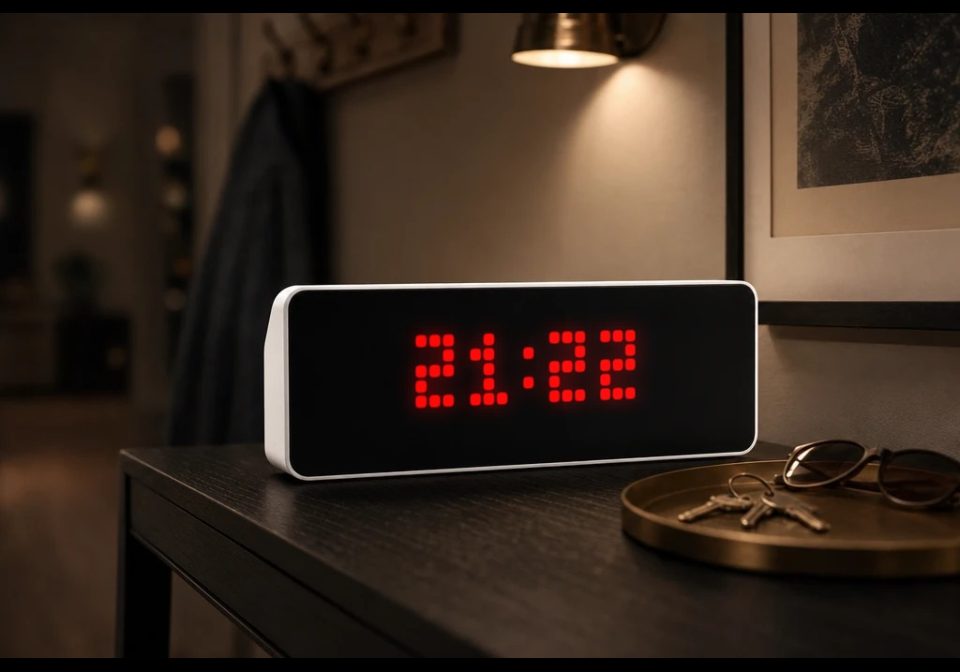
Nightmode
This script provides a night clock mode for AWTRIX NG.
| System | AWTRIX NG Scripts |
|---|---|
| Firmware | AWTRIX NG |
| Topic | Miscellaneous |
| Built by | RobG |
| File | cC2AGdk8nEY2.ax · 7.2 KB |
| Icons | — |
| Published | 11 Aug 2026 · updated 18 Aug 2026 |
| Downloads | 49 |
Night Clock
A fully local night clock for AWTRIX NG. At your chosen time the panel dims down to a minimal clock in a color of your choice; in the morning it restores your normal brightness and app rotation. Everything runs on the device itself
Features
- Night mode on a schedule - from your chosen evening time until your chosen morning time (the window may cross midnight, e.g. 23:00 → 08:00)
- Dimmed minimal clock at night, centered, in any color - with an optional blinking colon and an optional weekday bar
- Separate brightness settings for night and day, including auto-brightness on/off for each
- No app rotation at night - the panel stays on the clock. Press left/right to peek at another app (the date, for example) and the clock returns by itself after 30 seconds
- Skip a night: press the middle button on the night clock and the panel returns to day mode for the rest of that night. The next evening, night mode arms itself again automatically. Survives reboots
- Follows your device settings - 12/24-hour format is taken from the device, so there is nothing to configure twice
Settings
| Setting | Default | Description |
|---|---|---|
| Night mode from (hh:mm) | 23:00 | When night mode starts |
| Day mode from (hh:mm) | 08:00 | When day mode returns |
| Night brightness | 1 | Panel brightness at night (0–255) |
| Auto brightness at night | off | Use the light sensor at night |
| Day brightness | 127 | Panel brightness restored by day (1–255) |
| Auto brightness by day | off | Use the light sensor by day |
| Night clock color | red | Color of the night clock digits |
| Blinking colon | off | Colon blinks once per second |
| Weekday bar at night | off | Small Monday-first weekday bar under the clock |
All settings are edited in the web UI: Apps tab → ⋯ on the Night Clock row → Settings.
How it works
During the day the app is invisible - it skips its turn in the rotation and your panel behaves exactly as before. At the configured evening time it applies your night brightness settings, brings itself on screen and pauses the rotation. At the configured morning time it restores your day settings and hands the panel back to the normal rotation.
Installation
- Open the AWTRIX NG web interface.
- Go to the Scripts tab and create a new script (e.g.
NightClock). - Paste the script and press Save.
- Done - the app activates at your configured night time.
cC2AGdk8nEY2.ax
# @name    Night Clock
# @desc    Night clock: dimmed clock at night
# @author  RobG
# @version 1.12
# @config  night_start text   "Night mode from (hh:mm)"  default="23:00" maxlen=5
# @config  night_end   text   "Day mode from (hh:mm)"    default="08:00" maxlen=5
# @config  night_bri   slider "Night brightness"         default=1 min=0 max=255
# @config  night_abri  bool   "Auto brightness at night" default=false
# @config  day_bri     slider "Day brightness"           default=127 min=1 max=255
# @config  day_abri    bool   "Auto brightness by day"   default=false
# @config  tint        color  "Night clock color"        default=#FF0000
# @config  blink       bool   "Blinking colon"           default=false
# @config  wd          bool   "Weekday bar at night"     default=false

class NightClock
  var start_m, end_m            # night window in minutes since midnight
  var night_bri, night_abri     # settings for the night
  var day_bri, day_abri         # settings for the day
  var tint, blink, wd
  var skip                      # true = user skipped the rest of this night
  var arm                       # seconds left to confirm a skip with a second press
  var pend, pend_n              # proposed mode change and its confirmation countdown
  var away                      # countdown while another app is on screen at night
  var mode                      # -1 unknown, 0 day, 1 night
  var hh, mm                    # ready-made text for draw()
  var x0, x1, x2                # x of hours, colon, minutes - precomputed in loop()
  var today                     # 0 = Monday, for the weekday bar

  def parse_min(txt, dflt)
    # "23:00" -> 1380; falls back to the default on invalid input.
    # Digit by digit: num() is a strict JSON parser and answers nil for a
    # zero-padded piece like "09", which silently made this whole minute 0.
    var m = re.search("(\\d)(\\d)?:(\\d)(\\d)", str(txt))
    if m == nil return dflt end
    var h = num(m[1], 0)
    if m[2] != nil h = h * 10 + num(m[2], 0) end
    var v = h * 60 + num(m[3], 0) * 10 + num(m[4], 0)
    return v >= 0 && v < 1440 ? v : dflt
  end

  def init()
    self.start_m = self.parse_min(store.get("night_start"), 23 * 60)
    self.end_m = self.parse_min(store.get("night_end"), 8 * 60)
    self.night_bri = store.get("night_bri")
    self.night_abri = store.get("night_abri")
    self.day_bri = store.get("day_bri")
    self.day_abri = store.get("day_abri")
    self.tint = store.get("tint")
    self.blink = store.get("blink")
    self.wd = store.get("wd")
    self.skip = store.get("skip") == true       # survives a reboot mid-night
    self.arm = 0
    self.pend = -1
    self.pend_n = 0
    self.away = -1
    self.mode = -1
    self.hh = nil
    self.mm = nil
    self.x0 = 0
    self.x1 = 0
    self.x2 = 0
    self.today = 0
  end

  def on_button(btn)
    if btn == "select" && self.mode == 1
      if self.arm > 0                           # second press within the window: confirmed
        self.arm = 0
        self.skip = true
        store.set("skip", true)
        log("Nightclock: night skipped (double select)")
      else                                      # first press: arm and wait for confirmation
        self.arm = 3
      end
    end
  end

  def loop()
    if now_ms() < 90000 return end              # boot grace: give NTP a moment first
    if num(epoch_ms(), -1) < 0 return end       # firmware only vouches for the clock once
                                                # NTP has set it; hour() alone can lie
    var hr = num(hour(), -1)
    var mi = num(minute(), -1)
    if hr < 0 || mi < 0 return end
    var now = hr * 60 + mi
    var night
    if self.start_m == self.end_m
      night = false
    elif self.start_m < self.end_m
      night = now >= self.start_m && now < self.end_m
    else                                        # window wraps past midnight
      night = now >= self.start_m || now < self.end_m
    end
    if self.skip
      if night
        night = false                           # user skipped the rest of this night
      else
        self.skip = false                       # the night window ended; re-arm
        store.set("skip", false)
      end
    end
    var nm = night ? 1 : 0
    if nm != self.mode
      if self.pend != nm                        # new proposal: the clock has to agree
        self.pend = nm                          # for 5 s in a row before we act, so a
        self.pend_n = 5                         # brief clock glitch cannot flip the mode
      end
      self.pend_n -= 1
      if self.pend_n <= 0                       # held for 5 s: really switch
        self.pend = -1
        self.mode = nm
        self.away = -1
        self.arm = 0
        if night
          settings.set("brightness", self.night_bri)
          settings.set("autoBrightness", self.night_abri)
          rotation.show()                       # bring the night clock up
          log("Nightclock: night mode on")
        else
          settings.set("brightness", self.day_bri)
          settings.set("autoBrightness", self.day_abri)
          rotation.resume()                     # normal rotation returns
          log("Nightclock: day mode on")
        end
      end
    elif self.pend != -1                        # verdict flipped back within the 5 s
      self.pend = -1
    end
    if self.mode == 1
      rotation.pause()                          # no automatic app rotation at night
      if self.arm > 0 self.arm -= 1 end         # confirmation window counts down
      if self.away >= 0                         # user pressed a button and left the clock
        self.away -= 1
        if self.away < 0 rotation.show() end    # snap back after the grace period
      end
    end
    var h = hr
    if settings.get("time24h") == false         # follow the device's own 12/24h setting
      h = h % 12
      if h == 0 h = 12 end
    end
    self.hh = str(h)
    self.mm = mi < 10 ? "0" + str(mi) : str(mi)
    self.today = (num(weekday(), 1) + 6) % 7    # 0 = Monday
    var wh = num(text_width(self.hh), 0)
    var wc = num(text_width(":"), 4)
    var wm = num(text_ink_width(self.mm), 0)
    self.x0 = (width() - (wh + wc + wm)) / 2
    self.x1 = self.x0 + wh
    self.x2 = self.x1 + wc
  end

  def on_show()
    self.away = -1
  end

  def on_hide()
    if self.mode == 1
      self.away = 30                            # return to the clock after ~30 s
    end
  end

  def should_show()
    return self.mode == 1                       # during the day the rotation skips this app
  end

  def draw()
    clear()
    if self.hh == nil
      text(1, 6, "...", 0x666666)
      return
    end
    text(self.x0, 6, self.hh, self.tint)
    if !self.blink || num(epoch_ms(), 0) % 1000 < 500
      text(self.x1, 6, ":", self.tint)
    end
    text(self.x2, 6, self.mm, self.tint)
    if self.arm > 0
      pixel(width() - 1, 0, self.tint)          # confirmation indicator top-right
    end
    if self.wd
      var i = 0
      while i < 7
        rect_fill(2 + i * 4, 7, 3, 1, i == self.today ? self.tint : 0x1A1A1A)
        i += 1
      end
    end
  end
end

return NightClock()
Install it on your AWTRIX NG
Your browser writes the script straight to the device on your network. It joins the app rotation right away.
Some browsers refuse to talk to a device on your network from a public page. Download the flow and paste it into the Scripts tab of your device, or install it from a terminal:
More flows for AWTRIX NG Scripts or Miscellaneous
Something wrong with this flow? Report it.