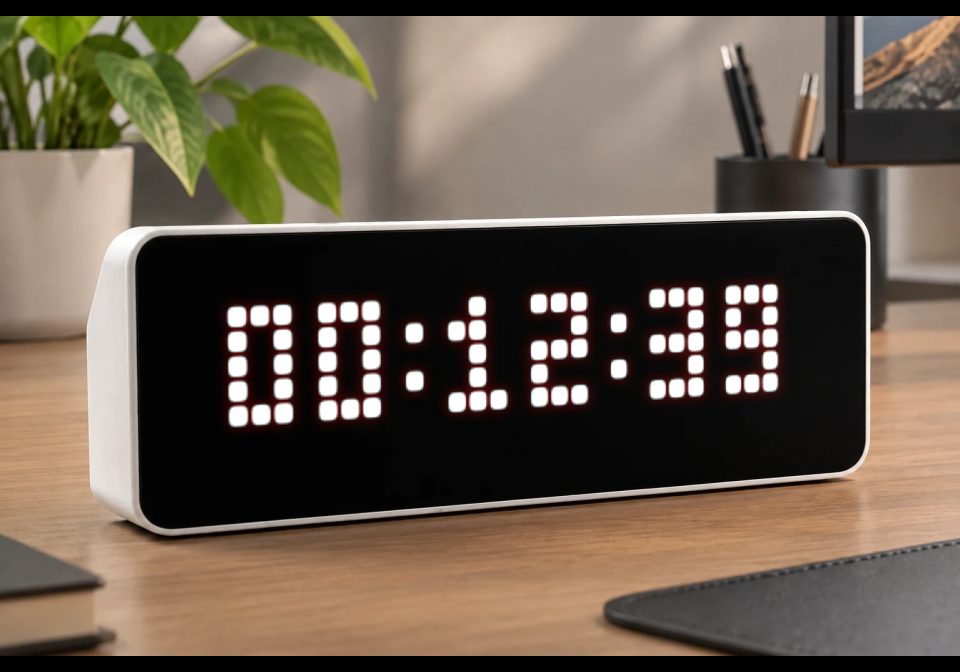
Stopwatch
A simple pixel-style stopwatch for AWTRIX 3 written in Berry.
| System | AWTRIX NG Scripts |
|---|---|
| Firmware | AWTRIX NG |
| Topic | Miscellaneous |
| Built by | Avemer |
| File | WpHaPuZaAK3Z.ax · 2.6 KB |
| Icons | — |
| Published | 9 Aug 2026 · updated 10 Aug 2026 |
| Downloads | 34 |
Update 1.1 The settings menu has been moved up in the code.
FEATURES
- Start / stop / reset using the Select button
- Two display formats:
HH:MM:SS
MM:SS:CC — minutes, seconds and hundredths of a second - Customizable text color
- Real-time hundredths display when using MM:SS:CC
- Automatically centered on the display
- Uses now_ms() for accurate elapsed-time measurement
- Keeps the elapsed time when stopped
- Works swiftly, at 40 fps
SETTINGS
In code look for section ====== START OF USER SETTINGS ======
1. Stopwatch color
self.STOPWATCH_COLOR = 0xFFFFFF
The color uses the 0xRRGGBB format.
Examples:
0xFFFFFF = White
0xFF0000 = Red
0x00FF00 = Green
0x0000FF = Blue
0xFFFF00 = Yellow
2. Display format
self.STOPWATCH_FORMAT = 0
Available formats:
-
0 = HH:MM:SS
-
1 = MM:SS:CC
Example:
00:05:32 -
Format 0 displays hours, minutes and seconds.
-
Format 1 displays minutes, seconds and hundredths of a second:
05:32:47
Here 47 means 47 hundredths of a second (0.47 s).
Controls
The Select button has three functions depending on the current state.
- Start = When the stopwatch is reset, pressing Select starts it.
- Stop = When the stopwatch is running, pressing Select stops it and saves the elapsed time.
- Reset = When the stopwatch is stopped, pressing Select resets the elapsed time to zero.
- After resetting, pressing Select starts the stopwatch again.
P.S. I have no idea how to extend the control of the stopwatch, since my Ulanzi TC001 watch only allows me to set it up like this. I did not find an option to add a continue button. Because it is not possible for me to receive a signal, for example, by pressing the Select button for a long time and it is not possible to assign a reset in this way. Therefore, now there is an opportunity to just start, pause and reset by pressing the Select button.
Accuracy
The stopwatch calculates elapsed time using:
now_ms()
The display in MM:SS:CC mode shows hundredths of a second (00–99).
The internal timer still works with milliseconds; only the displayed value is converted to hundredths.
Display
The current value is automatically centered horizontally using:
text_ink_width(value)
This allows both display formats to remain centered despite having different widths.
GENERAL
The code contains explanations if you want to change something.
Vibecoded with ChatGPT, polished by Avemer.
And I'm a newbie, hope someone might find this script usefull!
WpHaPuZaAK3Z.ax
# @name Stopwatch
# @desc Stopwatch with HH:MM:SS or MM:SS:hundredths format
# @author Avemer
# @version 1.1

class Stopwatch

# USER VARIABLES
var STOPWATCH_COLOR
var STOPWATCH_FORMAT

# INTERNAL VARIABLES
var running
var started
var elapsed

# ================ START OF USER SETTINGS ================
def init()
# STOPWATCH COLOR
# Format: 0xRRGGBB
# Examples:
# 0xFFFFFF White
# 0xFF0000 Red
# 0x00FF00 Green
# 0x0000FF Blue
self.STOPWATCH_COLOR = 0xFFFFFF

# STOPWATCH FORMAT
# 0 = HH:MM:SS
# 1 = MM:SS:hundredths
self.STOPWATCH_FORMAT = 0
# ================ END OF USER SETTINGS ================

# INITIAL VALUES
self.running = false
self.started = 0
self.elapsed = 0

end

# MAIN LOOP
def loop()

end

# DRAW STOPWATCH
def draw()

clear()

# Get current elapsed time in milliseconds.
var current = self.elapsed

if self.running
current = now_ms() - self.started
end

# FORMAT 0: HH:MM:SS
var value = ""

if self.STOPWATCH_FORMAT == 0

var total = int(current / 1000)

var hours = int(total / 3600)
var minutes = int((total - hours * 3600) / 60)
var seconds = total - hours * 3600 - minutes * 60

var hh = str(hours)
var mm = str(minutes)
var ss = str(seconds)

# Add leading zero to hours.
if hours < 10
hh = "0" + hh
end

# Add leading zero to minutes.
if minutes < 10
mm = "0" + mm
end

# Add leading zero to seconds.
if seconds < 10
ss = "0" + ss
end

value = hh + ":" + mm + ":" + ss

# FORMAT 1: MM:SS:HUNDREDTHS
elif self.STOPWATCH_FORMAT == 1

var totalSeconds = int(current / 1000)

var minutes2 = int(totalSeconds / 60)
var seconds2 = totalSeconds - minutes2 * 60

# Convert milliseconds to hundredths of a second (0-99).
var hundredths = int((current % 1000) / 10)

var mm2 = str(minutes2)
var ss2 = str(seconds2)
var ms2 = str(hundredths)

# Add leading zero to minutes.
if minutes2 < 10
mm2 = "0" + mm2
end

# Add leading zero to seconds.
if seconds2 < 10
ss2 = "0" + ss2
end

# Add leading zero to hundredths.
if hundredths < 10
ms2 = "0" + ms2
end

value = mm2 + ":" + ss2 + ":" + ms2

end

# CENTER TEXT
var w = text_ink_width(value)

var x = int((width() - w) / 2)

# DRAW
text(
x,
6,
value,
self.STOPWATCH_COLOR
)

end

# BUTTON
def on_button(btn)

if btn == "select"

# RUNNING → STOP
if self.running

self.elapsed = now_ms() - self.started
self.running = false

# STOPPED WITH TIME → RESET
elif self.elapsed > 0

self.elapsed = 0

# RESET → START
else

self.started = now_ms()
self.running = true

end

end

end

end

return Stopwatch()
Install it on your AWTRIX NG
Your browser writes the script straight to the device on your network. It joins the app rotation right away.
Some browsers refuse to talk to a device on your network from a public page. Download the flow and paste it into the Scripts tab of your device, or install it from a terminal:
More flows for AWTRIX NG Scripts or Miscellaneous
Something wrong with this flow? Report it.