
Yahoo Finance Stock Display
Display real-time Yahoo Finance stock prices on AWTRIX with dynamic colors. Green for gains, red for losses. Perfect for stocks, crypto, and market tracking.
| System | Home Assistant Blueprint |
|---|---|
| Firmware | AWTRIX 3 |
| Topic | News |
| Built by | Marco Dodaro (Raythekool) |
| File | Kp6BOrMMokLn.yaml · 6.6 KB |
| Icons | — |
| Published | 6 Feb 2026 · updated 6 Feb 2026 |
| Downloads | 68 |
Yahoo Finance Stock Display for AWTRIX 3
Monitor your favorite stocks, cryptocurrencies, and market indices in real-time directly on your AWTRIX LED matrix display.
This Home Assistant Blueprint integrates seamlessly with the Yahoo Finance integration to show live stock data with intelligent visual feedback.
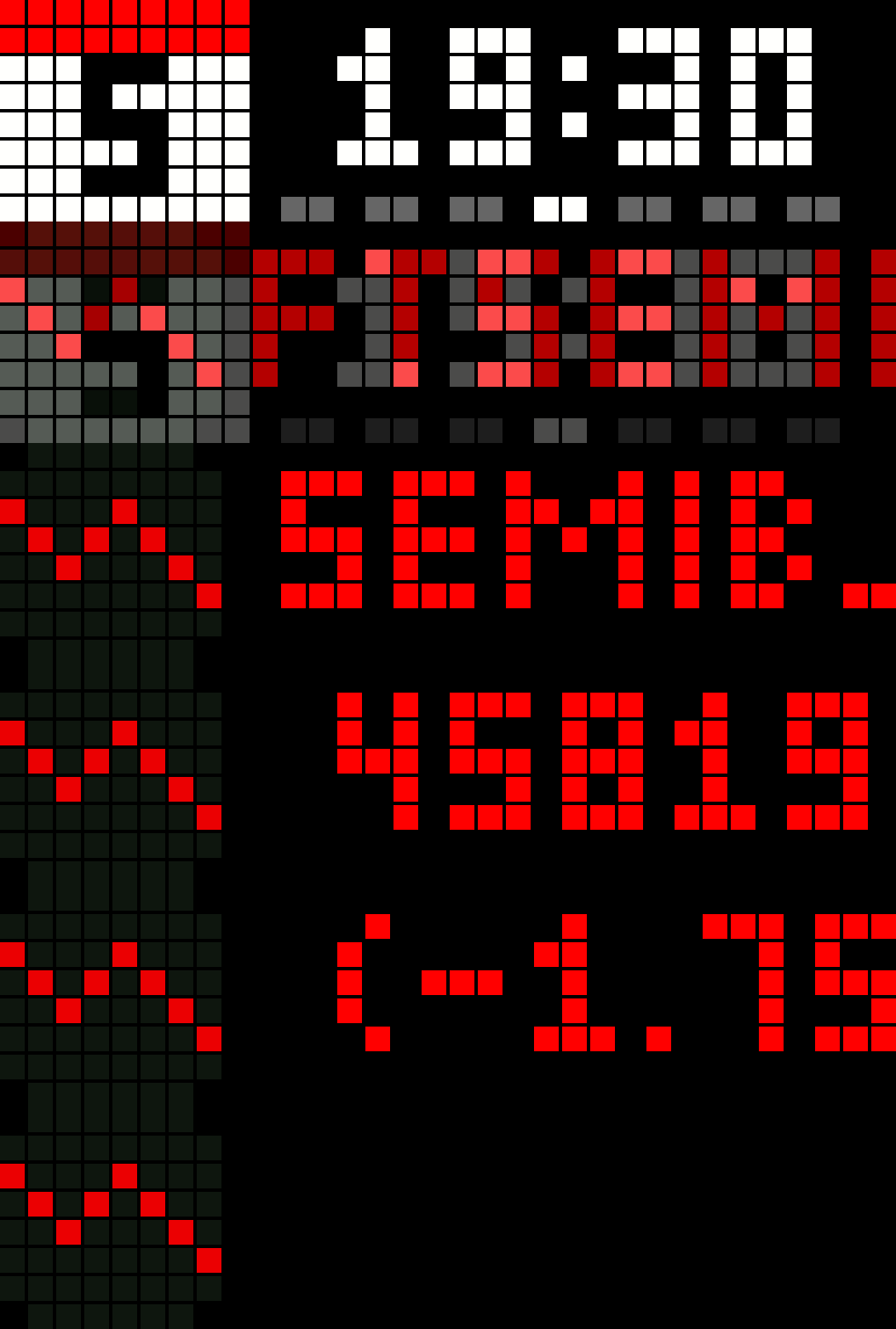
🎨 Visual Feedback
- 🟢 Green display when stock is gaining (above threshold)
- 🔴 Red display when stock is losing (below threshold)
- ⚪ White display for neutral movement
✨ Key Features
- Real-time price updates with automatic refresh every 15 minutes
- Dynamic trend indicators with animated arrows (up/down/neutral)
- Customizable threshold for color changes (default 0.2%)
- Multi-asset support: stocks, crypto (BTC, ETH), ETFs, and market indices
- Multi-device support: send to multiple AWTRIX displays simultaneously
- Configurable currency symbols (€, $, £, ¥, or custom)
- Adjustable scroll speed and display lifetime
- No coding required: simple blueprint configuration through UI
📊 Display Format
AAPL 150.25€ (+2.5%)
Shows: Stock symbol, current price with currency, percentage change with color coding
🎯 Perfect For
- Day traders monitoring positions
- Long-term investors tracking portfolio
- Crypto enthusiasts watching Bitcoin/Ethereum
- Market watchers following indices (S&P 500, NASDAQ)
- Anyone wanting ambient market awareness
🔧 Requirements
- Home Assistant 2024.6.0 or newer
- AWTRIX 3 device with MQTT configured
- Yahoo Finance integration (via HACS)
🚀 Easy Setup
Set it up once through Home Assistant's blueprint interface and let it run automatically in the background. No manual updates, no coding, just real-time market data on your display.
Kp6BOrMMokLn.yaml
FLOW CONFIGURATION

═══════════════════════════════════════════════════════════════

QUICK SETUP
═══════════════════════════════════════════════════════════════

Prerequisites:
• AWTRIX 3 device connected via MQTT
• Yahoo Finance integration from HACS
• Stock sensor configured (e.g., sensor.yahoofinance_aapl)

═══════════════════════════════════════════════════════════════

INSTALLATION
═══════════════════════════════════════════════════════════════

1. Import Blueprint
   Settings → Automations & Scenes → Blueprints → Import Blueprint
   URL: https://github.com/Raythekool/ha-awtrix-yahoofinance-stock

2. Create Automation
   Settings → Automations → Create → Use blueprint → AWTRIX Stock Display

═══════════════════════════════════════════════════════════════

REQUIRED PARAMETERS
═══════════════════════════════════════════════════════════════

AWTRIX Device........: Select your Ulanzi TC001
Stock Sensor.........: sensor.yahoofinance_aapl
Stock Symbol.........: AAPL (keep it short!)
App Name.............: stock_aapl (unique for each stock)

═══════════════════════════════════════════════════════════════

OPTIONAL PARAMETERS (defaults)
═══════════════════════════════════════════════════════════════

Threshold............: 0.2% (color change sensitivity)
Lifetime.............: 900s (15 min auto-refresh)
Currency.............: € (or $, £, ¥)
Scroll Speed.........: 100 (higher = faster)
Repeat...............: 1 (display times)

═══════════════════════════════════════════════════════════════

QUICK EXAMPLES
═══════════════════════════════════════════════════════════════

Example 1: Apple Stock
  Sensor: sensor.yahoofinance_aapl
  Symbol: AAPL
  App: stock_apple
  Currency: $
  Display: AAPL 150.25$ (+2.1%)

Example 2: Bitcoin
  Sensor: sensor.yahoofinance_btc_usd
  Symbol: BTC
  App: stock_bitcoin
  Currency: $
  Threshold: 1.0% (crypto volatility)
  Display: BTC 45000$ (-3.5%)

Example 3: S&P 500
  Sensor: sensor.yahoofinance_spy
  Symbol: S&P500
  App: stock_sp500
  Display: S&P500 4850$ (+0.3%)

═══════════════════════════════════════════════════════════════

MULTIPLE STOCKS
═══════════════════════════════════════════════════════════════

Create separate automations with unique app names:
  Stock 1: stock_aapl
  Stock 2: stock_tsla
  Stock 3: stock_btc

They'll automatically cycle on your display!

═══════════════════════════════════════════════════════════════

COLOR CODING
═══════════════════════════════════════════════════════════════

🟢 Green: Gain > threshold
🔴 Red: Loss > threshold
⚪ White: Within threshold range

Threshold recommendations:
  Stocks.......: 0.2% (default)
  Crypto.......: 1.0-2.0% (volatile)
  Indices......: 0.1% (stable)

═══════════════════════════════════════════════════════════════

TROUBLESHOOTING
═══════════════════════════════════════════════════════════════

Not displaying?
  → Developer Tools → States → Check sensor value
  → Automations → Find stock automation → Run manually
  → Settings → System → Logs → Look for update messages

Wrong colors?
  → Check price change vs threshold setting
  → Lower threshold for more sensitivity

Text too long?
  → Use short symbols (AAPL not Apple Inc.)
  → Increase scroll speed (150-200)
  → Remove currency symbol

═══════════════════════════════════════════════════════════════

PRO TIPS
═══════════════════════════════════════════════════════════════

✓ Keep symbols SHORT for 8x32 display
✓ Match threshold to asset volatility
✓ Lifetime = 0 for always visible
✓ Create themed portfolios
✓ Monitor logs first few days to tune

═══════════════════════════════════════════════════════════════

SUPPORT
═══════════════════════════════════════════════════════════════

GitHub: https://github.com/Raythekool/ha-awtrix-yahoofinance-stock
Issues: https://github.com/Raythekool/ha-awtrix-yahoofinance-stock/issues
Coffee: https://buymeacoffee.com/raythekool

═══════════════════════════════════════════════════════════════
More flows for Home Assistant Blueprint or News
Something wrong with this flow? Report it.