Self-stats
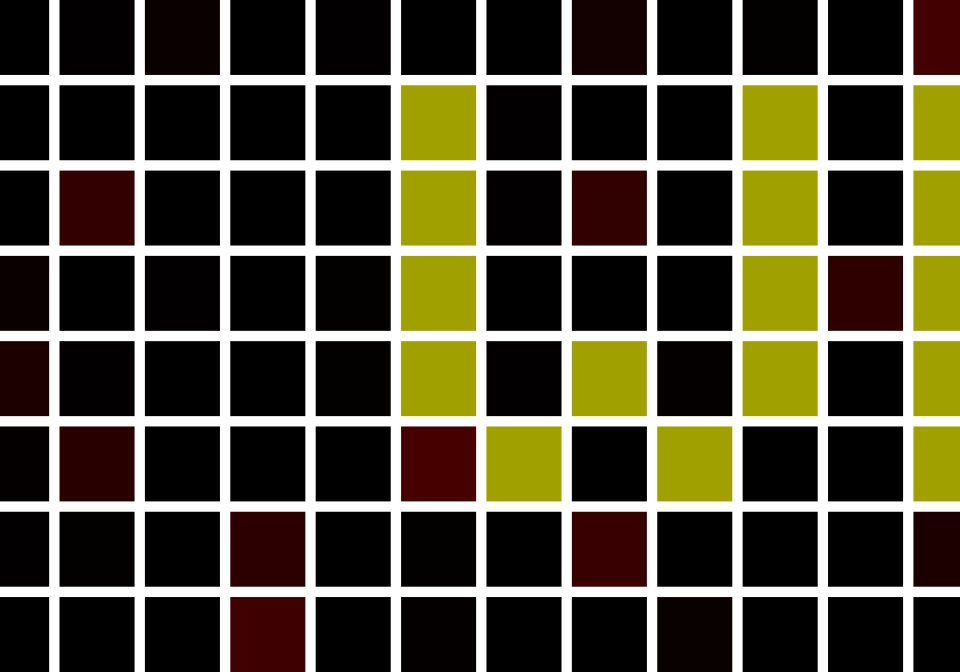
Take the Awtrix outside and let it show you how good your WiFi reception is and how long the battery lasts. Helpful if you have a doorbell or other sensors connected to it. To make it work, just replace XXXXXX with your Awtrix. You have to do this in 6 p
| System | Home Assistant |
|---|---|
| Firmware | AWTRIX 3 |
| Topic | Smarthome |
| Built by | TNC |
| File | Kp6BOr7z5kLn.yaml · 2.6 KB |
| Icons | — |
| Published | 31 Dec 2023 · updated 31 Dec 2023 |
| Downloads | 28 |
Take the Awtrix outside and let it show you how good your WiFi reception is and how long the battery lasts. Helpful if you have a doorbell or other live sensors connected to it.
The App is Updating every Minute... No Assets needed...
To make it work, just replace XXXXXX with your Awtrix. You have to do this in 6 places.
Enjoy.
Go out your door or into your garden and have fun with it. May the wifi be strong enough for you.
Signal Strength Identifier Appropriate Uses
-30 dBm Excellent This is the maximum achievable signal strength suitable for every application scenario.
-50 dBm Excellent This excellent signal level is suitable for all network applications.
-65 dBm Very good Recommended for supporting smartphones and tablets.
-68 dBm Very good This signal strength is sufficient for voice over IP and video streaming.
-70 dBm Acceptable This level is the minimum signal strength required to ensure reliable packet delivery and enables Internet surfing and email exchange.
-80 dBm Poor Allows basic connectivity, but packet delivery is unreliable.
-90 dBm Very Poor Mostly noise, confuses most functions.
-100 dBm Worst case Just noise.
Kp6BOr7z5kLn.yaml
alias: "- AWTRIX - SELF - STATS - APP -"
description: "- WIFI Strenght - Battery - Free Ram - Uptime -"
trigger:
  - platform: time_pattern
    minutes: /1
condition: []
action:
  - service: mqtt.publish
    data:
      qos: 0
      retain: false
      topic: awtrix_XXXXXX/custom/self-stats
      payload_template: >-
        {

        "text":"·      WIFI STRENGTH {{
        states('sensor.awtrix_XXXXXX_wifi_strength') }} dB      ·      BATTERY
        {{ states('sensor.awtrix_XXXXXX_battery') }} %      ·       FREE RAM
        {{ states('sensor.awtrix_XXXXXX_free_ram') }} Byte      ·
        UPTIME    {% set s =  states('sensor.awtrix_XXXXXX_uptime') | int(0)
        %}{% set seconds = s % 60 %}{% set minutes = ((s % 3600) / 60) | int
        %}{% set hours = ((s % 86400) / 3600) | int %}{% set days = (s / 86400)
        | int %}

        {%- if days > 0 -%}
          {%- if days == 1 -%}
          · 1 DAY
          {%- else -%}
          · {{ days }} DAYS
          {%- endif -%}
          {{ ' ' }}
        {%- endif -%}

        {%- if hours > 0 -%}
          {%- if hours == 1 -%}
          · 1 HOUR
          {%- else -%}
          · {{ hours }} HOURS
          {%- endif -%}
          {{ ' ' }}
        {%- endif -%}

        {%- if minutes > 0 -%}
          {%- if minutes == 1 -%}
          · 1 MINUTE
          {%- else -%}
          · {{ minutes }} MINUTES
          {%- endif -%}
        {%- endif -%}
          {{ ' ' }}
        {%- if seconds > 0 -%}
          {%- if seconds == 1 -%}
          · 1 SECOND
          {%- else -%}
          · {{ seconds }} SECONDS
          {%- endif -%}
        {%- endif -%}
          {{ '  ·' }}      VERSION {{ states('sensor.awtrix_XXXXXX_version') }}                                         ",
        "textOffset": 34,

        "repeat": 1,

        "color": [160,160,0],
          "effect":"TwinklingStars",
          "effectSettings":{
            "speed": -4,
            "palette":["220000",
                            "330000",
                            "550000",
                            "770000",
                            "990000",
                            "BB0000",
                            "DD0000",
                            "FF0000",
                            "FF0000",
                            "DD0000",
                            "BB0000",
                            "990000",
                            "770000",
                            "550000",
                            "330000",
                            "220000"],
            "blend":true
          }
        }
mode: single
More flows for Home Assistant or Smarthome
Something wrong with this flow? Report it.