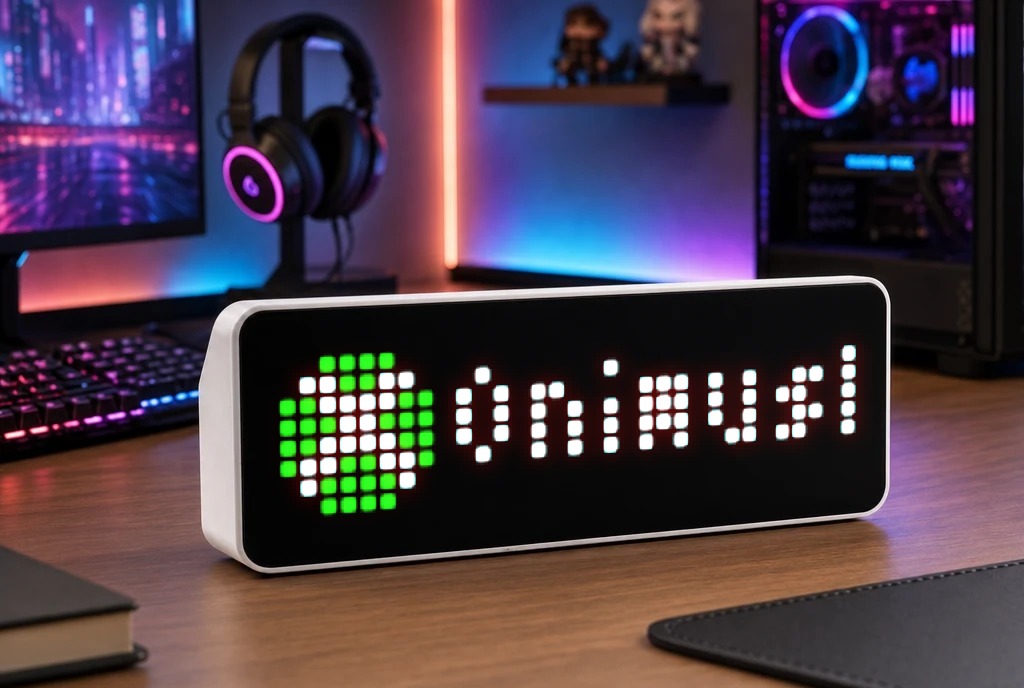
XBOX Game Status
XBOX Game Status
| System | AWTRIX NG Scripts |
|---|---|
| Firmware | AWTRIX NG |
| Topic | Social |
| Built by | strusic |
| File | CPcMMuot5ehY.ax · 4.2 KB |
| Icons | 1 |
| Published | 26 Aug 2026 |
🎮 Xbox Live Presence Monitor (Standalone)
A native Berry script for AWTRIX NG that dynamically displays your currently played Xbox game along with the live session duration (e.g., Gears of War - 1h 23m).
✨ Features
Smart Visibility: The app only appears in your AWTRIX loop when you are actively playing a game. It automatically hides (skips) when the console is off, you are on the Dashboard, or watching media apps.
Precision Filtering: Reads the raw JSON from the API and strictly looks for "placement": "Full" to ensure it only tracks active, full-screen games.
Native Time Tracking: Calculates your play session duration directly on the ESP32. It uses Julian date math, meaning it perfectly handles sessions that roll over past midnight or into a new month.
Smooth Transitions: Utilizes the "loop" scroll mode and an is_finished flag to ensure the text smoothly exits the screen before transitioning to the next app, preventing any visual glitches or flickering.
🛠️ Prerequisites (xbl.io API Key)
Since the official Xbox API requires a complex OAuth 2.0 flow, this script uses xbl.io, a trusted proxy service that makes fetching Xbox Live data incredibly easy.
Go to xbl.io and log in with your Microsoft/Xbox account.
Navigate to Profile -> API Keys.
Generate a new API Key and copy it.
⚙️ Configuration
Once installed, go to Apps -> Settings (next to the script name) in your AWTRIX WebUI to configure:
apikey (text): Paste your xbl.io API key here. (Required)
every (number): Polling interval in minutes. Default is 2.
⚠️ Important: The free tier of xbl.io allows up to 150 requests per hour. An interval of 2 minutes uses 30 requests/hour, keeping you perfectly safe from rate limits.
speed (number): Text scrolling speed. Default is 200.
repeat (number): How many times the text scrolls before switching to the next app. Default is 2.
CPcMMuot5ehY.ax
# @name       Xbox Monitor
# @desc       Status z xbl.io (Standalone)
# @author     strusic
# @config     apikey text "Klucz API z xbl.io" default=""
# @config     speed number "Prędkość" default=200 min=50 max=300 step=10
# @config     repeat number "Ilość powtórzeń" default=2 min=1 max=5
# @config     every number "Interwał (min)" default=2 min=1 max=15

class XboxXbl
  var apikey, period
  var game_name, start_time, ic, label
  var ticks, in_flight, is_finished

  def init()
    self.apikey = store.get("apikey")
    self.period = store.get("every") * 60

    self.game_name = ""
    self.start_time = 0
    self.ic = "4687"
    self.ticks = 0
    self.in_flight = false
    self.is_finished = false
    log("Xbox Monitor: Gotowy do pracy")
  end

  # Przelicza obecną datę i czas na absolutną liczbę minut
  def now_minutes()
    var d = day()
    var mo = month()
    var a = int((14 - mo) / 12)
    var yy = year() + 4800 - a
    var mm = mo + 12 * a - 3
    var jd = d + int((153 * mm + 2) / 5) + 365 * yy + int(yy / 4) - int(yy / 100) + int(yy / 400)
    return jd * 1440 + hour() * 60 + minute()
  end

  def duration()
    return 1000
  end

  def on_show()
    self.is_finished = false
  end

  # Blokuje wejście do rotacji ekranu, jeśli nie ma gry
  def should_show()
    return self.game_name != ""
  end

  def on_body(body, status)
    self.in_flight = false
    if body == nil
       return
    end

    # Weryfikacja czy w ogóle jesteśmy Online
    var is_online = re.search("\"state\"\\s*:\\s*\"Online\"", body)
    if is_online == nil
        self.game_name = ""
        return
    end

    var found_game = ""

    # Wyciągamy z JSONa wszystkie najmniejsze obiekty w klamrach {...}
    var blocks = re.matchall("\\{[^{}]+\\}", body)
    var i = 0

    while i < size(blocks)
        var b = blocks[i]
        # Szukamy bloku, w którym aplikacja działa na pełnym ekranie (Full)
        if re.search("\"placement\"\\s*:\\s*\"Full\"", b) != nil
            # Jeśli to ten blok, wyciągamy z niego nazwę
            var m = re.search("\"name\"\\s*:\\s*\"([^\"]+)\"", b)
            if m != nil
                found_game = m[1]
                break
            end
        end
        i += 1
    end

    # Aktualizacja stanu
    if found_game != ""
        if self.game_name != found_game
            self.game_name = found_game
            self.start_time = self.now_minutes()
            log("Xbox Monitor: Nowa gra -> " + found_game)
        end
    else
        self.game_name = ""
    end
  end

  def loop()
    if self.ticks <= 0
        self.ticks = self.period
        if !self.in_flight && self.apikey != "" && self.apikey != nil
            self.in_flight = true
            var url = "https://xbl.io/api/v2/presence"
            var opts = {
                'headers': {'X-Authorization': self.apikey},
                'keep': 2048
            }
            http.get(url, / b, st -> self.on_body(b, st), opts)
        end
    end
    self.ticks -= 1
  end

  def draw()
    if self.apikey == "" || self.apikey == nil
      clear()
      font("small")
      text(1, 1, "Brak klucza", 0xFF0000)
      text(1, 8, "xbl.io", 0xFF0000)
      return
    end

    if self.game_name == "" return end

    clear()
    var diff = self.now_minutes() - self.start_time
    if diff < 0 diff = 0 end

    var h = diff / 60
    var m = diff % 60

    var time_str = ""
    if h > 0
       time_str = format("%dh %02dm", h, m)
    else
       time_str = format("%02d min", m)
    end

    self.label = self.game_name + " - " + time_str

    if !icon(self.ic, 0, 0)
      rect_fill(0, 0, 8, 8, 0x107C10)
    end

    var target_repeats = int(store.get("repeat"))
    var label_opts = {
      "speed": int(store.get("speed")),
      "repeat": target_repeats,
      "mode": "wrap"
    }

    if !self.is_finished
      var completed = scroll_text(9, 6, width() - 9, self.label, 0xFFFFFF, label_opts)
      if completed >= target_repeats
        self.is_finished = true
      end
    end
  end
end

return XboxXbl()
Install it on your AWTRIX NG
Your browser writes the script straight to the device on your network. It joins the app rotation right away.
Some browsers refuse to talk to a device on your network from a public page. Download the flow and paste it into the Scripts tab of your device, or install it from a terminal:
These icons belong on the device, in /ICONS. Each one is at
most 32×8
pixels — shown here magnified, at their real proportions.

8×8 px
More flows for AWTRIX NG Scripts or Social
Something wrong with this flow? Report it.